One page, your entire company.
Bring the applications, tools and workflows your team already uses into one workspace, set up around the way your business operates.
A product demo is 30 minutes with the team that would set up your portal. The interactive demo opens in your browser, with no sign-up.

See MyCompanyPortal in action
A closer look at how MyCompanyPortal brings your company’s tools and workflows into one place.
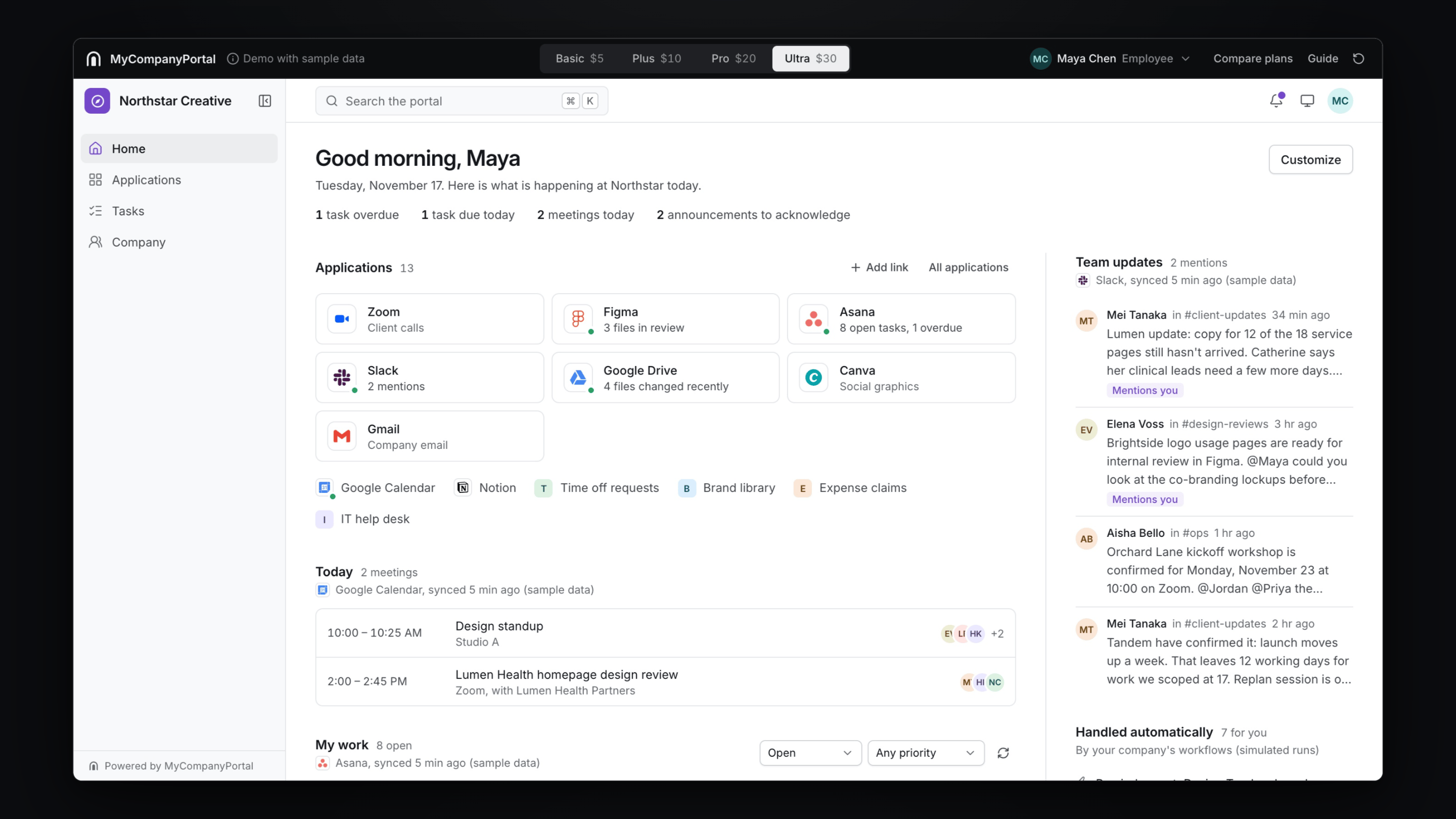
Two minutes, with captions and no sound. The company in the film is fictional, and its connections and workflow runs are simulated. Read the transcript
Rather click through it yourself? Open the interactive demo
Organize, connect, customize
Every company starts with the same workspace. How much it does for you depends on what you connect to it and how far you shape it.
Organize
Every application your team uses, in one familiar workspace.
- Launcher
- Every application and link in one searchable place, each person’s favorites first.
- Dashboards
- A personal home page for every employee.
- Departments
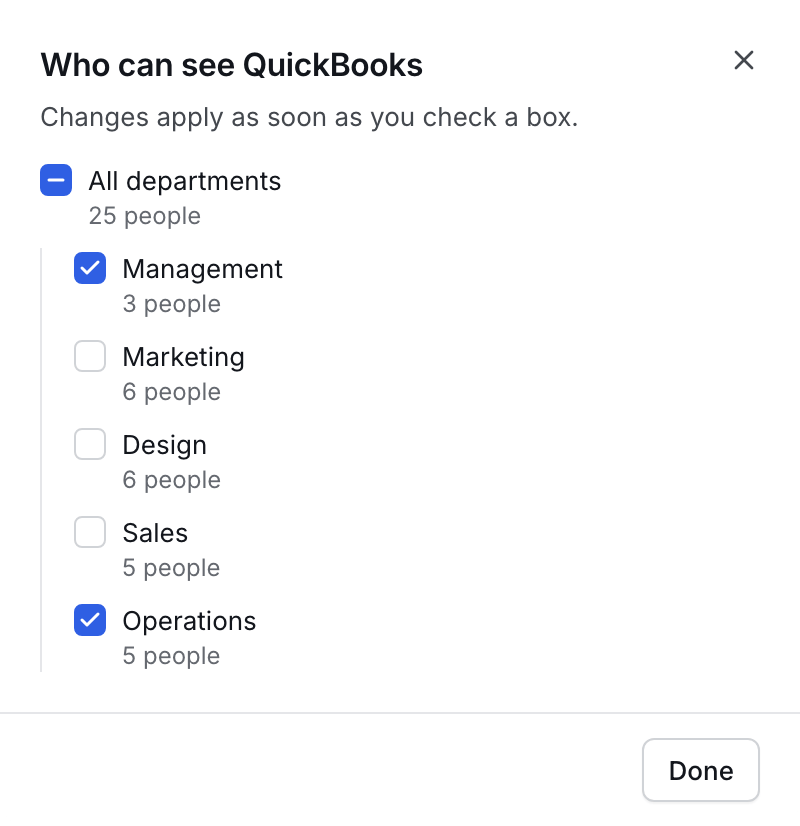
- Each team sees the applications that are meant for it.
- Your own links
- Handbooks, forms and shared folders sit beside the software.

Connect
Bring information and workflows together across the tools you already use.
- Link
- Opens the application in a new tab. Nothing is exchanged. On every plan.
- Integration
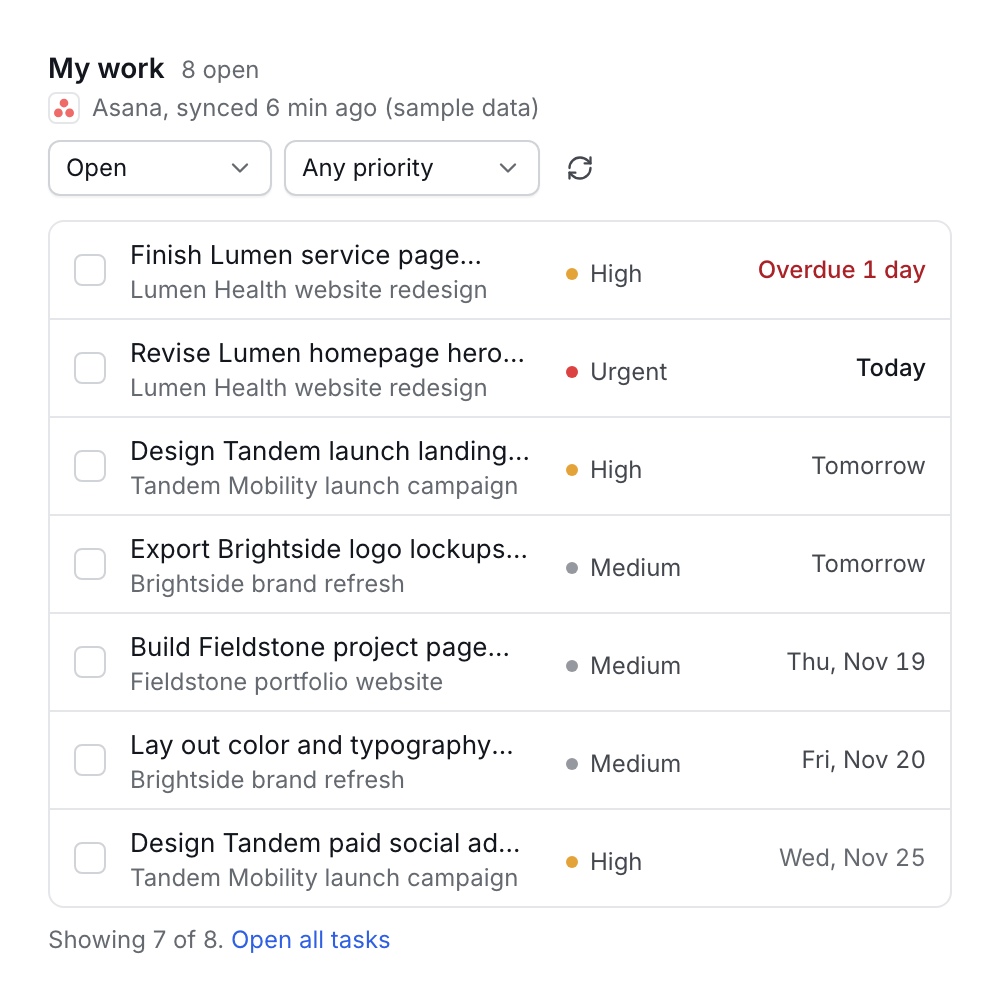
- Shows that application’s live information inside the portal: your tasks, today’s meetings, new messages. From Plus.
- Workflow
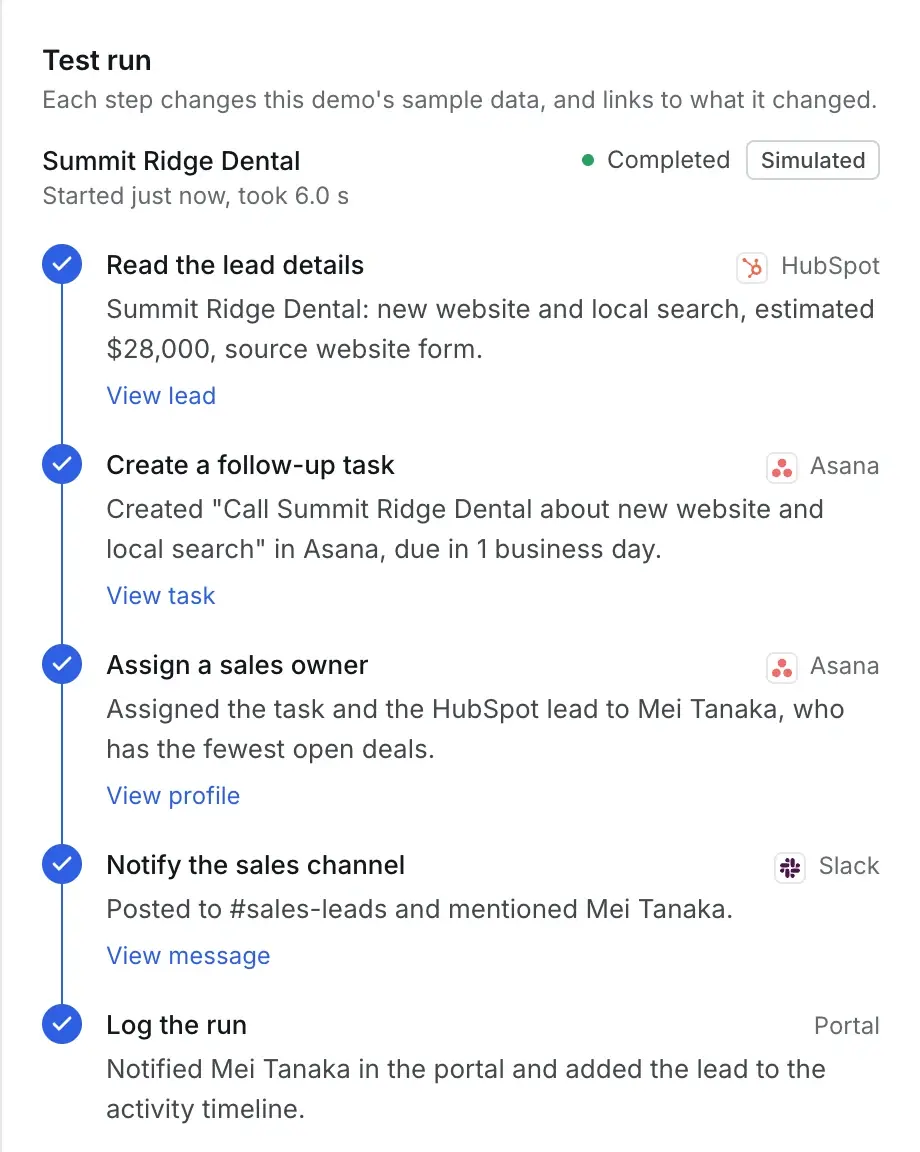
- Carries out routine steps across your applications, then tells you what it did. From Plus.
Customize
A portal designed around how your company actually works.
- Branding
- Your name, logo and colors throughout.
- Departments
- A dashboard layout for each team, arranged by an administrator.
- Roles
- Employees, managers and administrators each see what they need.
- Custom development
- Integrations, workflows and features built for you, quoted separately.
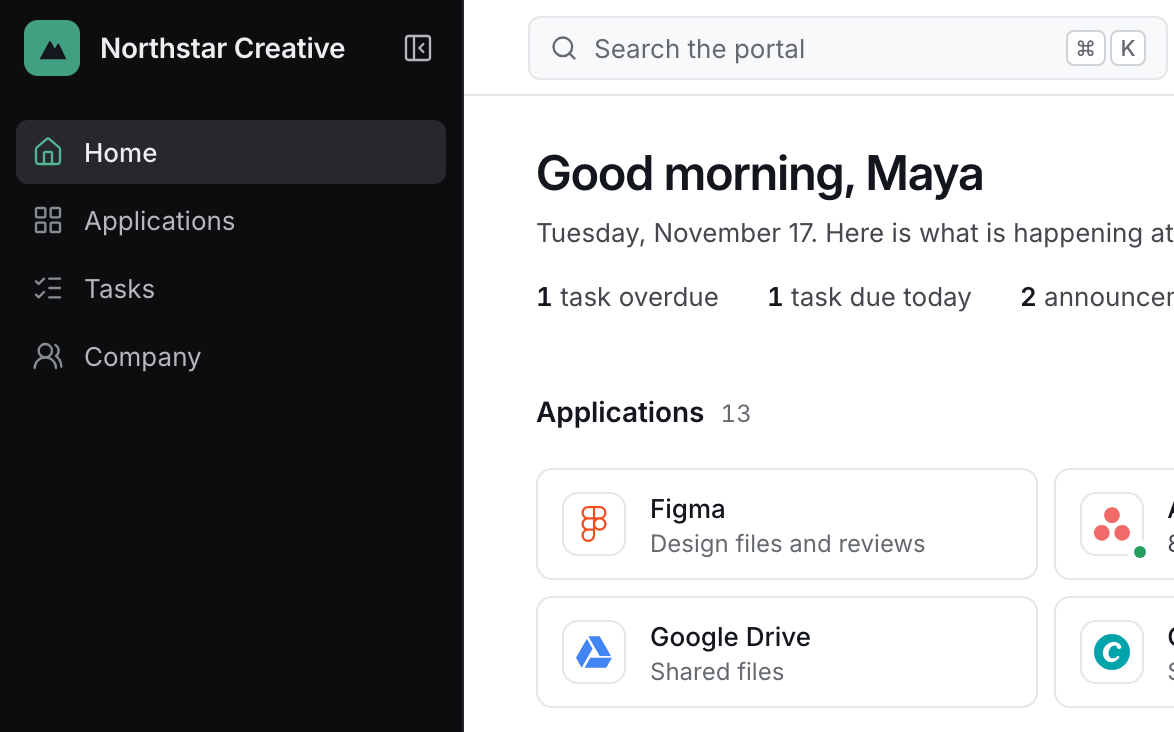
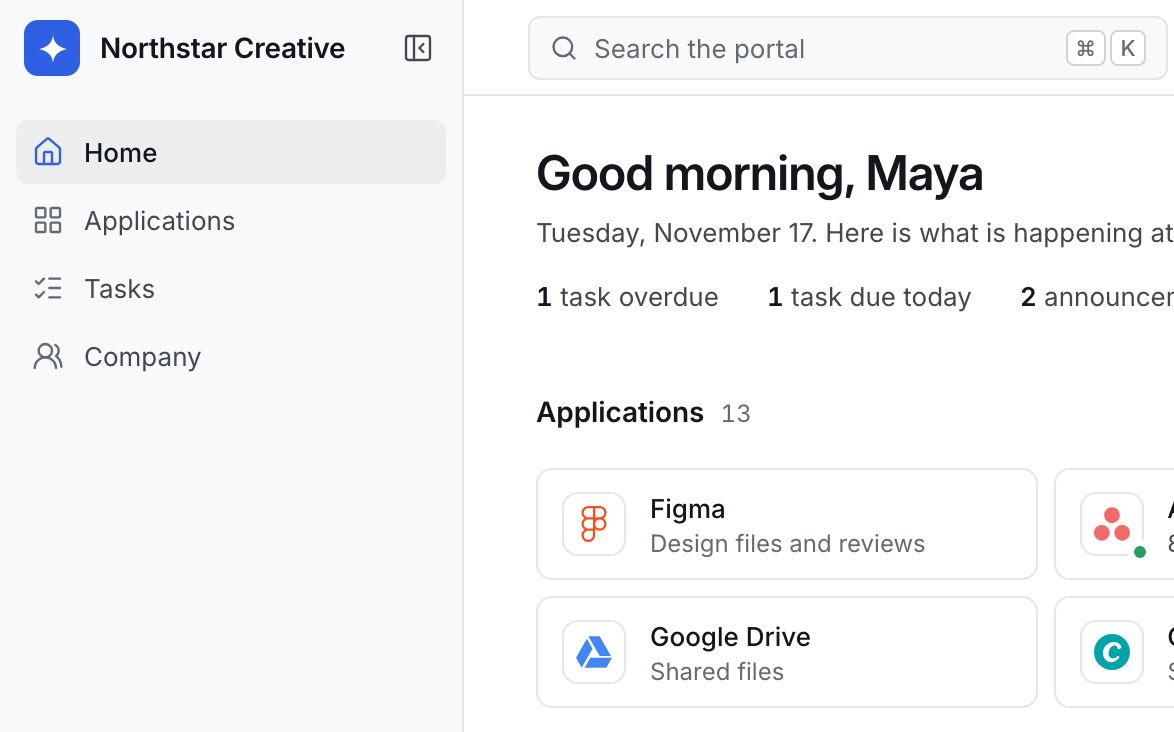
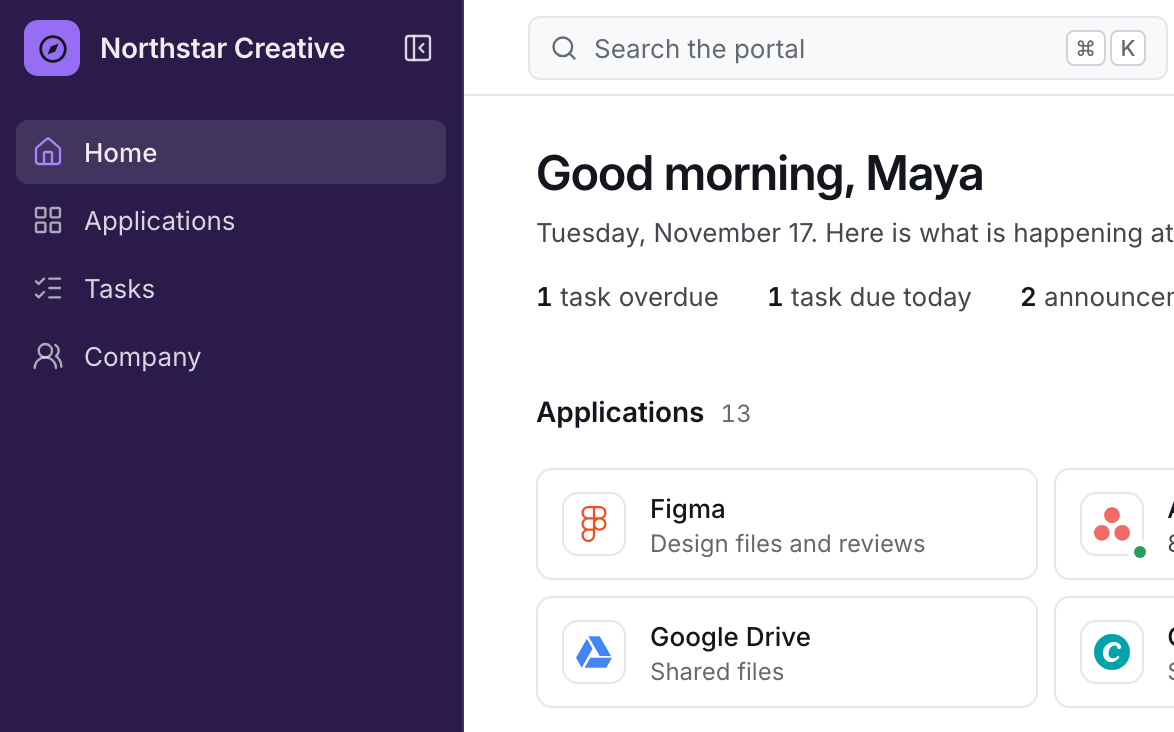
Your business is unique. Your workspace should be too.
We set up every company’s portal with them: its name and colors, what each department opens to, and which applications belong to whom. Make a few of those choices yourself.
Shown in the workspace as you type. It is not saved or sent anywhere.
Each department sees its own applications and dashboard.

Showing the Design dashboard in Cobalt with a light sidebar.
When you need something that is not standard
We work directly with your team to design and implement additional integrations, workflows, and features.
Custom development is quoted separately based on project complexity. It is never folded into a subscription, so you know what a piece of work costs before it begins.
How custom development worksYou tell us what you need
An integration that is not on the standard list, a workflow of your own, a dashboard for one team.
We scope it with you
A short conversation about how the work is done today and what should change.
You receive a quotation
What we will build and what it will cost, in writing, before any work starts.
We build it and hand it over
Built against a copy of your portal, tested with your team, then switched on in your workspace.
Four plans, priced per user
Every plan is the same workspace. Higher plans connect more of your applications and automate more of the work around them.
A company minimum applies below 20 employees.
Annual billing is 15% less.
Basic
$5 per user per month
$99 minimum per month
A centralized application workspace.
Estimated total: $125 per month
25 employees × $5
Includes:
- Custom company branding
- Employee dashboards
- Application links
- Department-based layouts
- Basic portal configuration
See Basic in the interactive demo
What Basic includes
A centralized application workspace.
Includes:
- Custom company branding
- Employee dashboards
- Application links
- Department-based layouts
- Basic portal configuration
Plus
$10 per user per month
$199 minimum per month
Connected applications and simple automation.
Estimated total: $250 per month
25 employees × $10
Everything in Basic, and:
- One supported standard integration1 (see note 1)
- Two configurable workflow templates from our library1 (see note 1)
- Basic connected data panels1 (see note 1)
- Limited AI assistance, where supported2 (see note 2)
See Plus in the interactive demo
What Plus includes
Connected applications and simple automation.
Everything in Basic, and:
- One supported standard integration1 (see note 1)
- Two configurable workflow templates from our library1 (see note 1)
- Basic connected data panels1 (see note 1)
- Limited AI assistance, where supported2 (see note 2)
Lines marked 1 are shown in the interactive demo with simulated data. Lines marked 2 are not in the demo. Details below.
Pro
$20 per user per month
$399 minimum per month
Connected workflows and more advanced operations.
Estimated total: $500 per month
25 employees × $20
Everything in Plus, and:
- Three supported standard integrations1 (see note 1)
- Six configurable workflow templates from our library1 (see note 1)
- Cross-application automations1 (see note 1)
- Advanced dashboards1 (see note 1)
- Broader AI assistance, where supported2 (see note 2)
See Pro in the interactive demo
What Pro includes
Connected workflows and more advanced operations.
Everything in Plus, and:
- Three supported standard integrations1 (see note 1)
- Six configurable workflow templates from our library1 (see note 1)
- Cross-application automations1 (see note 1)
- Advanced dashboards1 (see note 1)
- Broader AI assistance, where supported2 (see note 2)
Lines marked 1 are shown in the interactive demo with simulated data. Lines marked 2 are not in the demo. Details below.
Ultra
$30 per user per month
$599 minimum per month
Advanced integration capabilities and high‑touch customization support.
Estimated total: $750 per month
25 employees × $30
Everything in Pro, and:
- Up to eight supported standard integrations1 (see note 1)
- Expanded access to the workflow template library1 (see note 1)
- Advanced supported configuration1 (see note 1)
- Priority support
- Dedicated customization planning
See Ultra in the interactive demo
What Ultra includes
Advanced integration capabilities and high‑touch customization support.
Everything in Pro, and:
- Up to eight supported standard integrations1 (see note 1)
- Expanded access to the workflow template library1 (see note 1)
- Advanced supported configuration1 (see note 1)
- Priority support
- Dedicated customization planning
Lines marked 1 are shown in the interactive demo with simulated data. Lines marked 2 are not in the demo. Details below.
- Note 1: Shown in the interactive demo with simulated data. Before you subscribe, we confirm what is available for your applications; a standard integration is then connected to your own account during setup.
- Note 2: Not shown in the interactive demo. AI assistance depends on the applications you connect, so we confirm what is available for your tools before you subscribe.
Custom development is quoted separately based on project complexity.
Prices in US dollars.
Let’s build a workspace that works for your company.
Tell us how your team works, and we’ll explore how MyCompanyPortal can bring your tools and workflows together.
A product demo takes 30 minutes, an introductory call 15. Or write to yim@mycompanyportal.app.